

Rental property bookkeeping comes down to four habits: keep rental money in its own accounts, record every transaction against the property it belongs to, categorize it the way the IRS will ask for it on Schedule E, and save the proof. Do those four things every week and tax time becomes a report you print, not a project you survive. This guide shows how to set it up, what to track, and where a CPA earns their fee.
TL;DR
- Open a bank account used only for rent and rental expenses, and keep tenant security deposits apart from it.
- Track income and expenses property by property, because Schedule E reports each rental separately.
- Use one consistent chart of accounts, reconcile monthly, and attach a receipt to every transaction.
- Repairs are deductible now, improvements are depreciated over time, so label them correctly when you record them.
- Build a short weekly routine. It prevents the year-end pile-up that causes most missed deductions.
Table of Contents
- Why rental books are different from ordinary business books
- Step 1: Separate the money
- Step 2: Choose your accounting method
- Step 3: Build a chart of accounts that mirrors Schedule E
- Step 4: Know what to track
- Step 5: Run a weekly routine
- Step 6: Make the paper trail digital
- What good rental books let you see
- Common mistakes we see
- Perspective: bookkeeping is the cheapest tax planning you will do
- When to bring in a CPA
- Get your rental books on a system
- FAQ
- Sources
Why rental books are different from ordinary business books
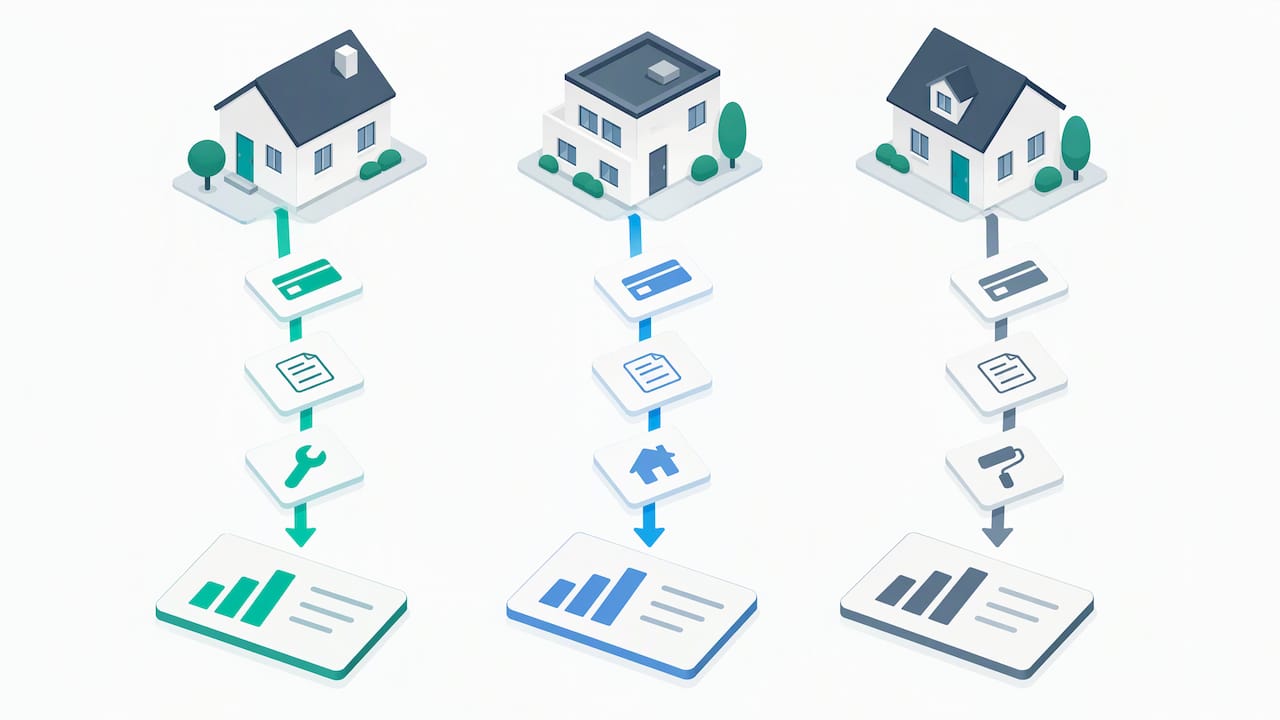
A landlord’s books answer two questions at once. How is each property performing? And can you support every number on your tax return? A single bank statement can’t answer either one.
The IRS says good records help you monitor your rental activity, prepare financial statements and tax returns, and support the items you report if you are ever audited, as its guidance on rental real estate income, deductions and recordkeeping explains. The same page notes that landlords generally report rental income and expenses on Form 1040, Schedule E, Part I, listing income, expenses and depreciation for each rental property separately.
That last point shapes everything else. If you own three properties, you need three sets of numbers, not one blended total. Nolo’s landlord recordkeeping guide makes the same point: with several rentals you must track income and expenses separately so you can report them separately and know each property’s profit or loss.
Step 1: Separate the money
The cheapest improvement you can make is a dedicated bank account for the rental. Open one checking account where all rent lands and all rental expenses are paid. Don’t pay your own groceries from it, and don’t pay a roof repair from your personal card.
Why it matters:
- Clean records. Every line on the statement is a rental transaction, so categorizing takes minutes.
- Clear separation. Mixing personal and rental funds (commingling) makes your books harder to defend and harder to trust.
- Easy reconciliation. Your account balance should match your books, and a dedicated account makes it obvious when it doesn’t.
If you have several properties, one operating account with property-level tracking inside your software works for many landlords. Others prefer one account per property. Either is fine as long as the books tell you which property each dollar belongs to.
Security deposits
Security deposits need their own handling. Many states require landlords to hold tenant deposits separately from operating funds, and the rules on where and how vary by state, so check your state’s landlord-tenant statute. In Oregon, where we are based, start with the state’s landlord-tenant rules and your lease.
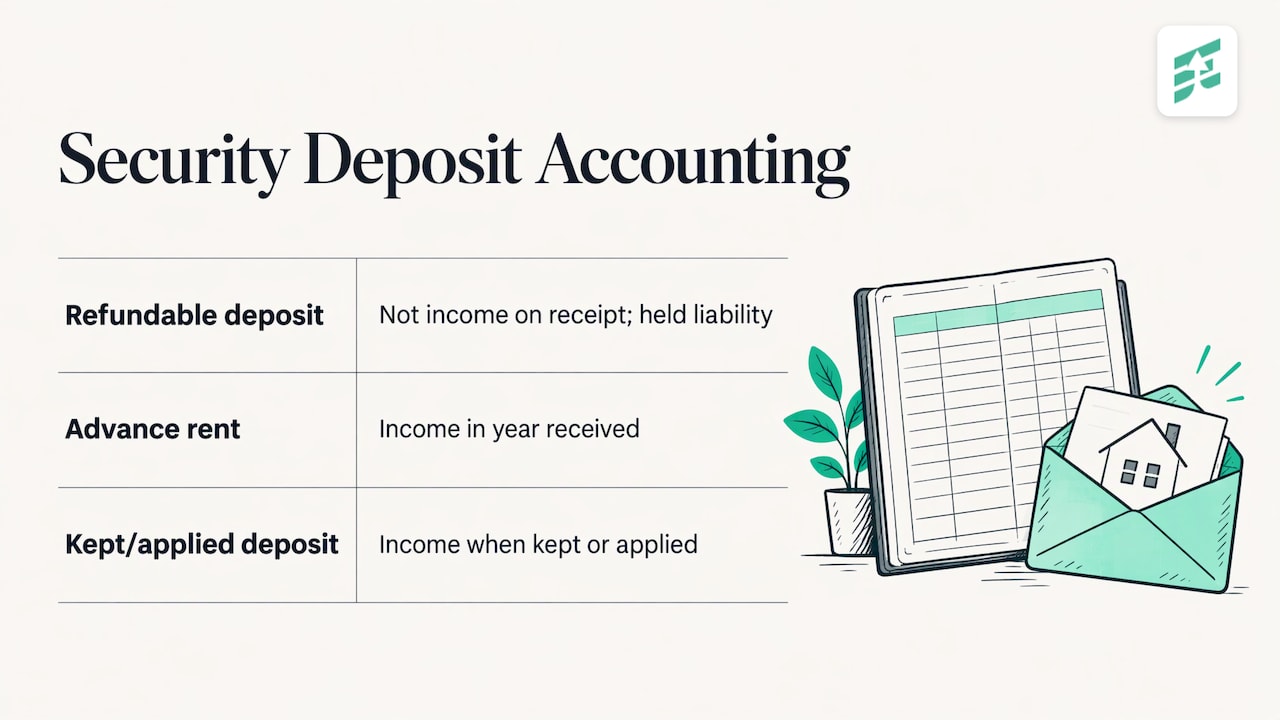
For accounting purposes, the IRS treats a refundable deposit differently from rent. Per the IRS page above, advance rent is income in the year you receive it, a security deposit you plan to return is not income when you receive it, and a deposit you keep (or apply as the final month’s rent) becomes income. In your books, record a held deposit as a liability, not revenue, and move it to income only when it is kept or applied.
Step 2: Choose your accounting method
Most individual landlords use the cash method: income counts when you receive it and expenses count when you pay them. It is simple and matches your bank activity. Larger or entity-owned portfolios sometimes use accrual accounting, which records income when earned and expenses when incurred.
The method you use for taxes should be settled with your CPA before the first transaction, not after. Switching later can require IRS paperwork, and the choice can interact with your entity structure and the rest of your finances. If you own rentals through an LLC, partnership or S corporation, the books also have to support that entity’s return.
Step 3: Build a chart of accounts that mirrors Schedule E
Your chart of accounts is the list of categories every transaction goes into. For a landlord, the most useful chart is simple and follows the tax return. A workable core:
| Category | What goes in it |
|---|---|
| Rental income | Monthly rent, late fees, pet rent, advance rent |
| Security deposits held (liability) | Refundable deposits, not income until kept |
| Advertising | Listing fees, signage |
| Insurance | Landlord policy premiums |
| Mortgage interest | Interest portion of the payment only |
| Property taxes | Annual or escrowed taxes |
| Repairs and maintenance | Fixing something that is broken or worn |
| Utilities | Utilities you pay, not the tenant |
| Professional fees | CPA, legal, property manager |
| Travel and mileage | Trips to the property, logged |
| Capital improvements | Betterments to be depreciated |
| Depreciation | Calculated with your CPA, not by bank feed |
Two mistakes show up again and again. First, recording the whole mortgage payment as an expense. Only the interest is a deduction, and principal reduces your loan balance, so it belongs on the balance sheet. Second, mixing repairs and improvements.
For a deeper look at building the list itself, see our chart of accounts setup guide.
Tag by property, not by account
Don’t create a separate “Repairs – 12 Oak Street” account for every property. Keep one clean chart and tag each transaction with the property it belongs to. In QuickBooks Online, that is usually done with the Class or Location tracking features, which you turn on in the account settings. You then run profit and loss reports by class or location to see one property at a time. The same idea works in other bookkeeping tools: one chart, one tag per property. If you want help configuring this correctly the first time, our QuickBooks consulting covers it.
Step 4: Know what to track
The IRS says you may deduct ordinary and necessary expenses for managing, conserving and maintaining rental property, including mortgage interest, property tax, operating expenses, depreciation and repairs. You generally need receipts, canceled checks or bills to substantiate them. The official rundown is on the IRS rental real estate page. We keep a longer list in top tax deductions landlords should track.
Repairs versus improvements
This is the line landlords get wrong most. Per IRS guidance, an expense is an improvement if it betters the property, restores it or adapts it to a new or different use, and those costs are recovered through depreciation instead of being deducted all at once. Patching a leaking pipe is a repair. Replacing the whole plumbing system is an improvement.
A quick test when you enter a transaction:
- Did it fix something broken or worn, returning the property to its prior condition? Likely a repair.
- Did it make the property better, extend its life or change its use? Likely an improvement.
- Not sure? Mark it for your CPA’s review rather than guessing. A one-line note on the transaction saves a long conversation in March.
Mileage
Driving to inspect, repair or manage a rental can be deductible, but only if you can prove it. A RentRedi write-up on landlord mileage describes a Tax Court case in which a vehicle deduction was disallowed because the mileage log lacked corroborating evidence, and it stresses logging trips at or near the time they happen. Use a phone app or a simple notes entry on the day you drive: date, property, purpose, miles.
Step 5: Run a weekly routine
Bookkeeping falls apart when it waits for April. A short, repeatable routine works better than a big annual effort. A weekly rhythm that landlords can follow, in line with Shuk Rentals’ Schedule E guide, is to enter all rental expenses, categorize them by Schedule E category and by property, and log mileage.
Here is a version that takes about 30 minutes for a small portfolio:
- Review bank feeds. Accept or correct each imported transaction.
- Assign property tags. Every line gets one.
- Attach receipts. Photo or PDF, attached to the transaction itself.
- Record rent received. Confirm each tenant paid the right amount and flag late or partial payments.
- Log mileage. While the trip is fresh.
- Note questions. Anything that might be an improvement, a personal expense or an odd deposit.
Once a month, reconcile every account to its statement. If the balance in your books equals the balance at the bank, you can trust the reports. If it doesn’t, find out why now.
Step 6: Make the paper trail digital
The IRS accepts both paper and electronic records, as Nolo notes, so the question is which one you will actually keep up. For most landlords, digital wins: a receipt photographed at the hardware store checkout is a receipt you won’t lose.
A simple structure:
- One folder per property, then subfolders for leases, closing documents, insurance, receipts by year, and tax returns.
- Receipts attached inside your accounting software, not just stored in a phone gallery.
- Leases and tenant paperwork scanned when signed.
If vendor invoices are part of your workload, such as contractors billing several properties, you can automate invoice processing so each bill is captured, routed and filed the same way every time. Whatever tools you use, the goal is that no document lives only in someone’s email.
How long to keep records
Keep records that support income, deductions and credits for as long as they could matter to a tax return. For rentals, documents showing the property’s purchase price, improvements and depreciation matter well beyond the year of purchase, because they determine your gain or loss when you sell. Ask your CPA for the retention schedule that fits your situation, and err on the side of keeping closing statements and improvement records for as long as you own the property and for several years after.
What good rental books let you see
Once the system runs, the reports do real work for you:
- Property-level profit and loss. Which properties actually make money after interest, taxes, insurance and repairs?
- Cash position. How much is in operating funds, and how much is held deposits that aren’t yours to spend?
- Expense patterns. A property with repeated plumbing repairs may be telling you something about a capital plan.
- A year-end packet. For each property, keep the annual profit and loss, the bank reconciliations, and a copy of the filed return together.
That packet is what you hand your CPA, a lender or an auditor. It turns a stressful request into a five-minute task.
Common mistakes we see
- Using one account for everything. Personal and rental transactions tangled together cost hours to separate.
- Booking the full mortgage payment as an expense. Only interest counts as an expense.
- Treating deposits as income, or income as deposits. Each has different tax treatment.
- Skipping receipts for small purchases. Dozens of small hardware and supply purchases add up to real deductions.
- No property tags. A blended profit and loss can’t support a Schedule E for each rental.
- Letting months pile up. Catch-up bookkeeping costs more and is less accurate. If you’re already behind, a QuickBooks cleanup checklist is the place to start.
Perspective: bookkeeping is the cheapest tax planning you will do
Most landlords come to us after the year ends, holding a shoebox of statements and asking what they owe. By then, the best planning options are gone. What changes the outcome is books that are current during the year.
At Elevate, we treat bookkeeping and tax planning as one job. When your rental income and expenses are recorded by property each month, we can see what you are on track to owe, talk through timing decisions while they can still be made, and prepare your return from numbers that are already clean. That year-round approach is how we help real estate investors keep more of what they earn.
Our advice to new landlords is to set the system up before the second property, not after the fifth. A dedicated account, a consistent chart of accounts and a weekly habit cost very little at the start. Untangling years of mixed records costs far more. And when the portfolio grows, or you add an LLC, the structure is already in place.
If you want to hand the whole thing off, we can run the books, coordinate with your tax planning and keep your records organized for the return. If you would rather keep doing the weekly entries yourself, we can set up the system and review it with you.
Justin Ash, CPA
When to bring in a CPA
Many landlords can handle the weekly entries themselves. A CPA adds the most value at the points where a wrong decision is costly:
- Choosing between cash and accrual and between holding properties personally or in an entity.
- Classifying large repairs and improvements, and setting up depreciation.
- Handling a sale, a refinance or a 1031 exchange.
- Cleaning up books that have fallen behind.
- Estimating quarterly tax payments so there are no surprises. See our explanation of quarterly estimated tax payments.
If you are comparing roles, our guide to bookkeeper vs. accountant explains who does what.
Get your rental books on a system
Elevate Business Consulting is a CPA firm in Medford, Oregon, working with small businesses and real estate investors year-round. Our real estate accounting services connect your bookkeeping, tax planning and business decisions, so your records are organized for the property and ready for the return.
If you want the books handled for you, see our bookkeeping services, or reach us through myelevatecpa.com to book a conversation about your properties.
FAQ
How do I keep track of rental property expenses?
Record every expense in accounting software or a well-built spreadsheet, tag it with the property it belongs to, and assign it to a category that matches Schedule E. Attach the receipt at the time of entry. Reconcile your bank account monthly so nothing is missed or duplicated.
Is a security deposit rental income?
Not when you receive a refundable deposit. The IRS says it becomes income only if you keep it, and a deposit applied as the final month’s rent is treated as advance rent. Record held deposits as a liability and keep the money in a separate account where your state requires it.
Do I need separate books for each rental property?
You need separate numbers for each property, because Schedule E reports each rental’s income, expenses and depreciation separately. That does not require separate software files. One set of books with a property tag on every transaction can produce a profit and loss for each property.
Can I use QuickBooks Online for rental property bookkeeping?
Yes. Many landlords use one chart of accounts and turn on Class or Location tracking to tag each transaction by property, then run reports for each one. Setting it up correctly at the start avoids recategorizing later, and a CPA can configure it for your portfolio.
Sources
- IRS: Tips on rental real estate income, deductions and recordkeeping
- Nolo: Landlord Record Keeping
- Shuk Rentals: Landlord Tax Deductions and Schedule E Guide
- RentRedi: Mileage Tracking for Landlords