
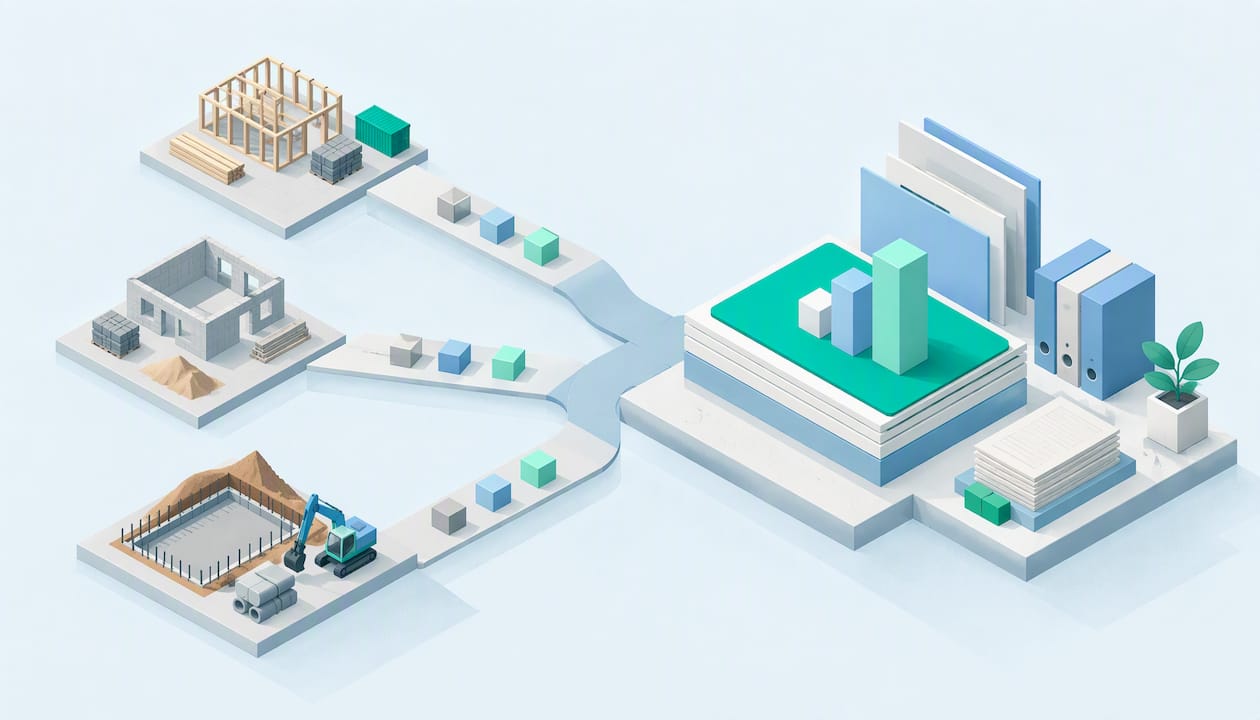
Bookkeeping for contractors works when every dollar is tied to a job. Contractor books record income and expenses, but they also show which projects made money, which ones quietly lost it, and when cash will actually arrive. This guide covers how to set up the system, what to assign to each job, which tax records to keep, and when it makes sense to hand the work to a CPA.
TL;DR
- Track every project on its own, with its own budget, revenue and costs. Totals for the whole business hide the jobs that lose money.
- Use a chart of accounts and job codes built for construction, then assign every expense to a job or to overhead.
- Keep records of progress billing, retainage and change orders, and have an accountant confirm your accounting method before a project gets long.
- Save payment records for subcontractors so you can file 1099s correctly, and set aside money for self-employment tax.
- Review job reports monthly. Waiting until tax season is the most expensive habit in contractor bookkeeping.
Table of Contents
- How contractor bookkeeping differs from other small businesses
- Choose your accounting method first
- Set up the system: chart of accounts and job codes
- Job costing: what to assign to each project
- Invoices, retainage, and cash flow
- Payroll, subcontractors, and worker classification
- Tax records contractors should keep
- What to look for in contractor accounting software
- A monthly routine that keeps you current
- Our perspective: bookkeeping is where tax savings begin
- When to bring in a CPA
- Work with Elevate on your contractor books
- FAQ
- Sources
How contractor bookkeeping differs from other small businesses
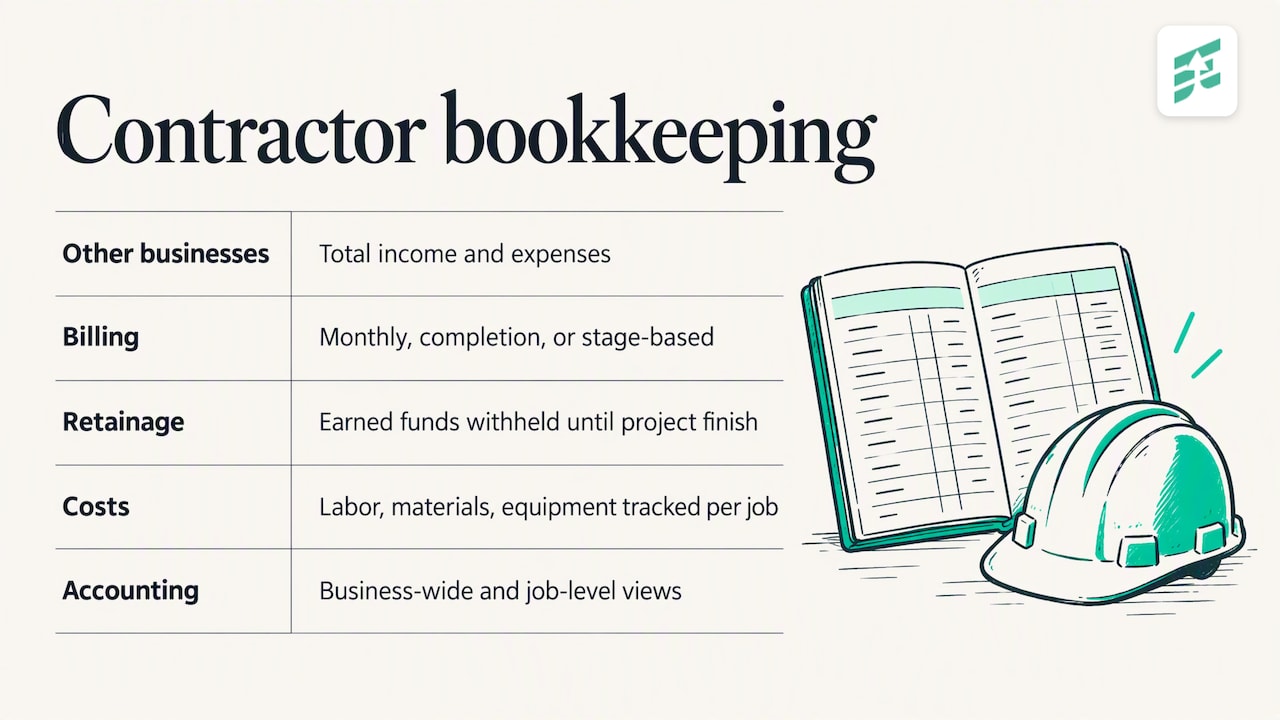
A retail shop or a consultant can get by with total income and total expenses. A contractor cannot. QuickBooks’ construction guide explains that the work centers on individual jobs: job costing, progress billing, retainage, change orders, longer timelines and project-specific compliance.
Three features make the difference in practice.
Billing does not match work. The IRS Construction Industry Audit Technique Guide notes that construction contracts may call for monthly billing, billing at completion or billing at stages. They may also allow retainage, where part of what you earned is withheld until the project is finished. A general contractor may in turn hold back part of what it owes its subcontractors.
Costs are more granular. Labor hours, subcontractor payments, materials, equipment, permits and inspections all belong to a specific project, according to the same QuickBooks guide.
Two layers of accounting. NetSuite describes construction accounting as a subset of project accounting: cash or accrual accounting applies to the business as a whole, while project accounting tracks each job’s revenue and expenses separately. You need both layers, and your books should produce both views.
Choose your accounting method first
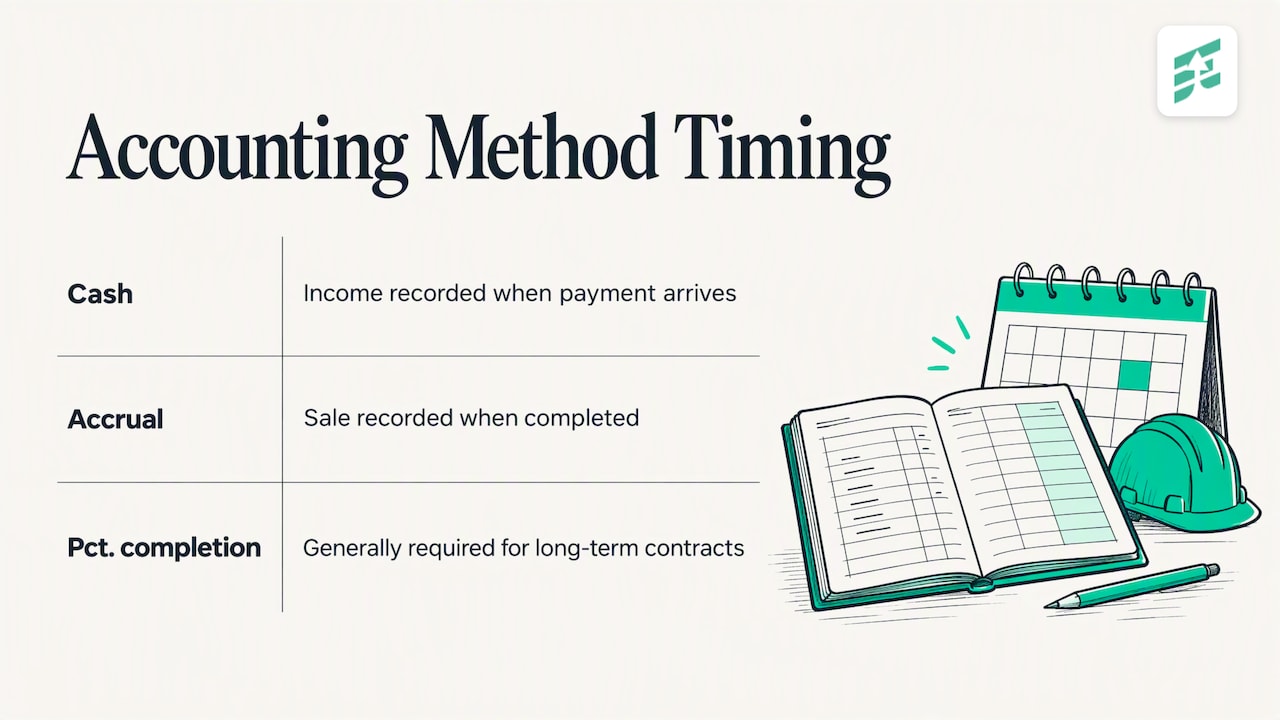
Everything else depends on when you record income and expenses. The SBA puts it simply: accrual accounting records a sale when it is completed, while cash accounting records it when payment is received.
For a contractor with short jobs, cash can be fine. The trouble starts when jobs stretch across months. Under cash accounting, a month with a big deposit looks wonderful and the month where you pay for materials looks terrible, though neither tells you whether the job is profitable.
The IRS audit guide discusses four methods: cash, accrual, completed-contract and percentage-of-completion. It says percentage-of-completion is generally required for long-term contracts under IRC Section 460, with exceptions for certain contracts. It also says the small-contractor exception does not remove every requirement, and that gross receipts of commonly controlled businesses are combined when applying the test. If you own more than one company, that detail matters.
The IRS tells contractors to use a consistent method that clearly reflects income and expenses. Pick the method with your CPA before the first long project starts, not after. Changing later creates paperwork and sometimes tax surprises.
Set up the system: chart of accounts and job codes
A clean setup takes a day and saves months of cleanup. Xero’s US construction guide recommends a construction-specific chart of accounts that separates job costs, materials, labor, equipment and overhead, with every expense assigned to a project code.
A workable setup looks like this:
- Open separate business accounts. One checking account and one card for the business, nothing personal. If you handle deposits or retainage for specific projects, a separate account for those funds helps you see what is really yours.
- Build the chart of accounts. Split cost of goods into direct labor, materials, subcontractors, equipment and permits. Keep rent, insurance, office staff and software in overhead.
- Create a job numbering scheme. Something simple works: year, then sequence, such as 26-014. Use the same number on estimates, invoices, purchase orders and receipts.
- Set up customers and jobs. In your software, each project sits under its customer, with its budget entered at the start.
- Connect payroll. Job labor should flow from timesheets to the job, not be estimated at month end.
- Reconcile monthly. Match every bank and card account to the books. The SBA lists bank reconciliation, receivables, payables, cash and payroll among the core tasks of managing a business.
If you already use QuickBooks and it feels like a mess, the fix is usually in the structure, not the software. Our QuickBooks consulting work often starts with re-mapping accounts and job codes so reports finally make sense.
Job costing: what to assign to each project
Job costing means tracking everything a project costs so you can measure its profit. Without it, you only learn a job lost money after it is over.
QuickBooks lists the typical items: labor hours, subcontractor payments, materials, equipment, permits and inspections, along with direct and indirect costs. The IECI job costing guide adds a third category, committed costs, and gives examples of each:
| Cost type | What it means | Examples |
|---|---|---|
| Direct | Tied to one job | Field labor, materials, subcontractors |
| Indirect | Supports jobs but is shared | Project management, indirect labor, owned-equipment use |
| Committed | Promised but not yet posted | Open purchase orders, unposted subcontractor or payroll commitments |
Committed costs are the ones contractors forget. A job can look 20% under budget until you remember the open purchase orders and the sub who has not invoiced yet. Record them.
Procore’s job costing library describes the full loop: assign direct labor, materials and equipment to projects, allocate indirect and overhead costs, then compare actual expenses with the budget to judge profitability.
A worked example
Say you bid a kitchen remodel at $48,000 and budgeted $34,000 in direct costs. Halfway through, your job report shows $21,500 spent. That is 63% of budget against roughly 50% of the work done. You do not need to wait for the final invoice to act: you can price the change orders, renegotiate with a supplier, or reset the client’s expectations now.
The same comparison, estimate versus actual, is the best early warning system you have. Do it monthly on every active job, and at the end of each job record what you learned so the next estimate is better. AGC’s financial training for contractors points out that changes in job costing and estimates can change the revenue recognized in a period, so accurate estimates affect both decisions and reported results.
Invoices, retainage, and cash flow
Contractors often do the work, pay the crew and suppliers, and wait to be paid. That gap is where healthy companies run out of cash.
Xero’s guide recommends milestone invoicing, deposits for major material purchases, matching spending to collections and pausing work when payments stop. Add a few bookkeeping habits:
- Track receivables by job. An aging report by customer hides which project is late. Age it by job.
- Record retainage separately. Retainage is earned but not collectible yet. Keep it visible so it does not vanish into a general receivables total.
- Log change orders. Every approved change gets a number, a price and a billing date. Unapproved extra work is the most common source of unbilled money.
- Forecast cash weekly. List expected deposits, progress payments, payroll, supplier bills and sub payments for the next 8 to 12 weeks.
If you build for developers or take on larger projects, drawdown schedules add another layer. A guide on finding cash flow gaps before drawdown shows the kind of forward look that helps you spot a shortfall between what a project pays and what it costs you to deliver. The details differ by country, but the habit of mapping cash in against cash out is the same.
Payroll, subcontractors, and worker classification
Labor is usually your biggest cost, and the easiest to get wrong.
The IRS says worker classification depends on behavioral control, financial control and the relationship of the parties, not simply on how or how often the worker is paid. A crew member you schedule, equip and direct may be an employee even if you call them a subcontractor. If you are unsure, ask your CPA before the year-end filing, not after a notice arrives.
For employees, W-2 reporting and payroll withholding apply. For true subcontractors, the IRS 1099-NEC guidance (page reviewed October 16, 2026) says Form 1099-NEC generally reports business payments of $600 or more for nonemployee services, and $2,000 for payments made after December 31, 2025. That higher threshold applies to this year’s payments.
Whatever the threshold, collect a W-9 from every subcontractor before the first payment, keep their certificates of insurance with the job file, and code each payment to the job. Doing this at payment time takes minutes. Reconstructing it in January takes days. If payroll on top of all this is eating your week, our payroll processing services can take it off your plate and tie labor to the right jobs.
Tax records contractors should keep
Good books exist partly to make taxes boring. At minimum, keep:
- Bank and card statements, reconciled monthly
- Invoices, progress billings and contracts for every job
- Receipts for materials, tools, fuel and permits
- Mileage logs and equipment purchase records
- W-9s, 1099 filings and payment records for subcontractors
- Payroll reports and quarterly filings
The IRS construction tax-gap fact sheet says contractors must report all income from their work, including cash, barter and payments with no Form 1099 or W-2. If part of your income comes in as cash or trades, it still needs to be in the books.
If you work as an independent contractor, the IRS says you generally report self-employment income on Schedule C. Most self-employed people with net earnings of $400 or more use Schedule SE to figure self-employment tax, and may need to make quarterly estimated payments, with a possible penalty if required payments are late. Our explainers on quarterly estimated tax payments and lowering self-employment taxes legally walk through the mechanics.
What to look for in contractor accounting software
The software matters less than how you use it, but some capabilities are worth having. Xero’s guide lists job costing that compares actual costs with estimates, progress billing, work-in-progress reporting, payroll integration that allocates labor to jobs, multi-project dashboards and mobile access for invoices and expenses. Add a few questions of your own:
- Can I enter a budget per job and see actual versus budget in one report?
- Can I bill a percentage of a contract, not just line items?
- Does time or payroll data post to jobs automatically?
- Can my field crew snap a receipt and tag it to a job from a phone?
- Can my CPA see the books without exporting spreadsheets?
As Xero advises, review the final setup with an accountant. The tool should fit the way you bill, not the other way around.
A monthly routine that keeps you current
| When | Task |
|---|---|
| Weekly | Code new expenses to jobs, send invoices, review unpaid bills, update the cash forecast |
| Monthly | Reconcile accounts, post payroll to jobs, record retainage and change orders, compare estimate to actual on every open job |
| Quarterly | Review profit by job and overhead, set aside or pay estimated taxes, check subcontractor paperwork |
| Yearly | Close the books, prepare 1099s, review accounting method and entity structure with your CPA |
Our year-round tax planning guide lays out the quarterly rhythm in more detail.
Our perspective: bookkeeping is where tax savings begin
We see the same pattern with small businesses: the owner is great at the work and tolerates the books. Then April arrives, the numbers are three months behind, and the only available strategy is to file and hope. By then, most of the savings are gone, because the decisions that lower a tax bill, such as how equipment is purchased, how the entity is structured or when income is billed, happen during the year.
For contractors the stakes are higher because margins live inside individual jobs. A bookkeeper who only categorizes bank transactions will give you a tidy profit and loss statement and no idea which jobs to bid more of. We prefer to connect bookkeeping, payroll, tax and advisory work, so job reports inform estimates and estimates inform the tax plan. That is what we mean by proactive, year-round work, and it is why we ask for monthly reviews rather than one annual meeting.
If you take one thing from this article, make it this: pick the accounting method and job structure early, and review job costs monthly. Everything else gets easier.
— Justin Ash, CPA
When to bring in a CPA
Many contractors begin with a spreadsheet or a simple bookkeeping app, and that is fine for a one-person shop. Consider professional help when:
- You run more than a few jobs at once and cannot say which is most profitable
- You have employees and subcontractors, and payroll takes real time
- Your books are months behind or the file is a tangle of uncoded transactions
- Jobs run across months and you are unsure about your accounting method
- You are weighing an LLC or S corporation, or buying equipment or property
A bookkeeper keeps the records current; an accountant interprets them and plans taxes. We explain the split in bookkeeper vs. accountant, and in practice many contractors need both, working together.
Work with Elevate on your contractor books
Elevate Business Consulting is a CPA firm in Medford, Oregon, serving small businesses with tax planning and preparation, accounting and bookkeeping, payroll and business advisory. We can set up job-based books, clean up an existing file, run payroll and review your numbers throughout the year so tax decisions are made while there is still time to act. See our bookkeeping services or start with a conversation through our main site.
FAQ
What is the best bookkeeping software for contractors?
The best choice is one that handles job costing, progress billing, payroll integration and reports by project, and that your bookkeeper or CPA can access directly. Match the software to how you bill and how many jobs you run at once. Have an accountant review the setup before you load a year of data.
How much should you pay someone to do your bookkeeping?
It depends on transaction volume, the number of active jobs, whether payroll is included and how far behind the books are. A cleanup project is usually priced differently from ongoing monthly work. Ask for a written scope that says what is included, and request a quote based on your actual file.
Can ChatGPT do my bookkeeping?
AI tools can help explain terms or draft a checklist, but they do not replace reconciled books, accurate job coding or professional judgment on accounting methods and tax rules. Anything you enter into a general chatbot may include sensitive financial data, so be careful about what you share. Treat the output as a starting point and confirm it with your CPA.
Do I need job costing if I only do small jobs?
Yes, in a simpler form. Even a small contractor benefits from knowing the profit on each job, because it shows which types of work are worth bidding. A job code on every expense and a monthly estimate-versus-actual check is enough to begin.
What accounting system should a growing contractor use?
Use one that offers a construction-specific chart of accounts, job codes, progress billing and payroll that posts labor to jobs. Set it up once with your accountant, then keep the same structure from year to year so reports are comparable.
Sources
- How to Do Bookkeeping for Construction Companies, QuickBooks
- Construction Industry Audit Technique Guide, IRS
- Construction Accounting vs. Regular Accounting, NetSuite
- Manage your business, U.S. Small Business Administration
- The Construction Industry and the Tax Gap, IRS
- Construction accounting: a complete guide for contractors, Xero
- The Complete Guide to Construction Job Costing, IECI
- Job Costing in Construction, Procore
- Construction Financials 101 webinar series, AGC
- Form 1099 NEC & Independent Contractors, IRS
- Form 1099 NEC & Independent Contractors 1, IRS
- Development cash flow: find gaps before drawdown